01
Audits and Inspections
Use digital inspections and audits to capture findings and create follow-up tasks. Audit findings can be connected to corrective actions, owners, evidence and completion status.
WHS Compliance & Audit Software
Complimate is WHS compliance and audit software for Australian businesses that need a practical way to manage workplace health and safety requirements. It brings audits, inspections, WHS documents, digital forms, incidents, corrective actions and compliance tasks into one platform. Businesses can use WHS compliance software to organise these activities and manage their wider safety responsibilities.
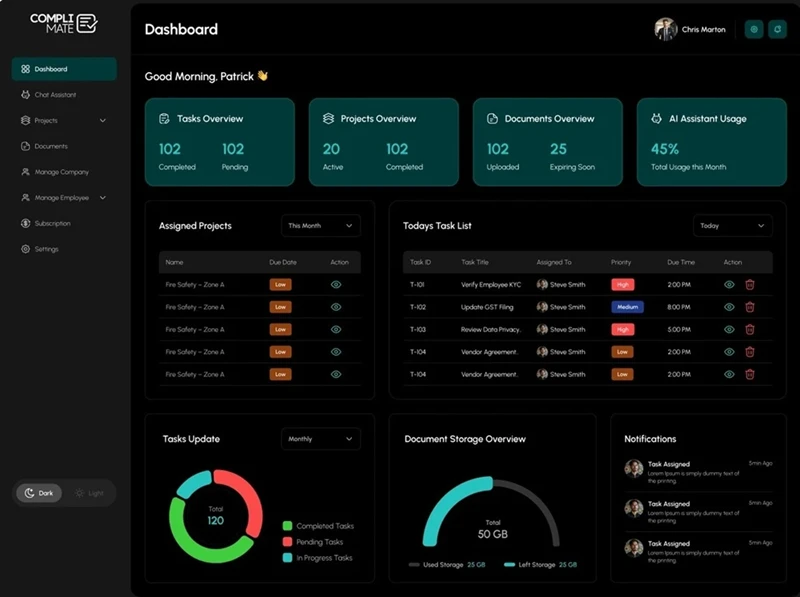
WHS compliance and audit software helps businesses organise the processes and records used to manage workplace health and safety obligations.
Instead of managing audit findings, policies, inspections, forms and corrective actions across spreadsheets, email and separate folders, Complimate connects these activities in one system.
For example, a WHS manager can run an internal audit, record a finding, assign a corrective action, attach supporting evidence and track the task until it is closed. Complimate's project and task functionality supports this audit-to-action workflow.
WHS Act compliance involves understanding and managing the duties and obligations that apply to your organisation. The specific requirements can depend on your Australian jurisdiction, industry and circumstances.
Complimate is designed to help businesses identify, manage and document WHS obligations rather than claim that software itself makes a business legally compliant. This distinction is important when using technology for workplace safety management.
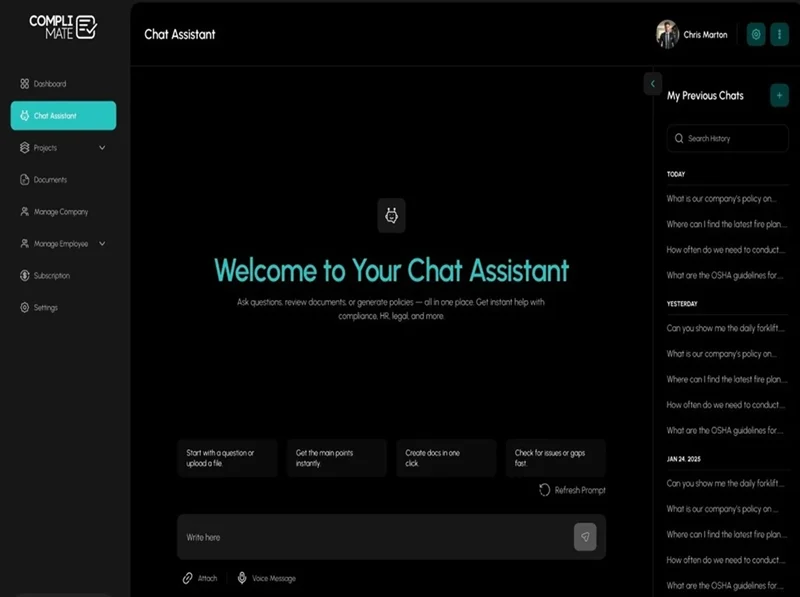
The platform's AI Compliance Assistant can answer questions using uploaded company documents and can cross-reference guidance with WHS legislation, ISO standards and government requirements. Users can also use it to support policy, procedure, risk assessment and SWMS drafting.
Complimate provides several tools that work together as part of a WHS compliance system:
Use digital inspections and audits to capture findings and create follow-up tasks. Audit findings can be connected to corrective actions, owners, evidence and completion status.
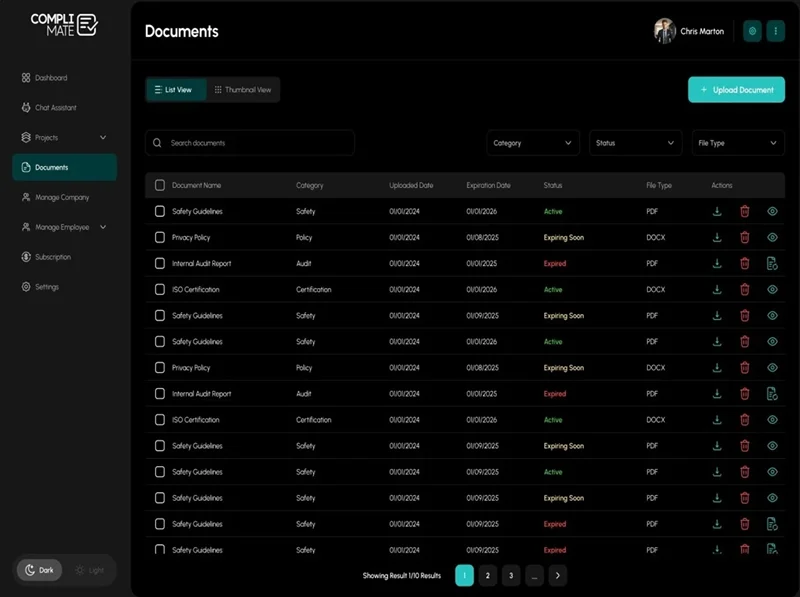
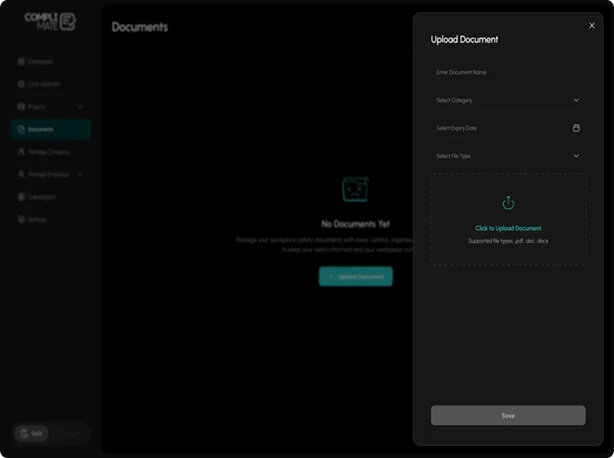
Store policies, procedures, SWMS, risk assessments, WHS plans, registers and other compliance records in a searchable document library. Documents can include versions, review dates and expiry dates, helping teams keep track of controlled documentation.
Create digital WHS forms for workplace processes such as site inductions, toolbox talks, pre-start checks, hazard reports, incident reports and inspections. Workers can access forms through mobile devices or QR codes, while completed records can be exported as PDFs.
Assign actions to specific people, set priorities and statuses, add comments or attachments, and track work through completion. This creates a structured workflow for addressing compliance gaps identified during audits or inspections, and helps keep evidence organised when preparing for a Certificate of Recognition (COR) audit.
Maintain site records, site-specific documents, digital form submissions and registers for vehicles, plant, equipment and tools. Employee profiles can also contain documents and submitted forms with role-based access.
Bring WHS audits, documents, inspections, digital forms, corrective actions and compliance tasks together with Complimate.
A typical WHS audit workflow in Complimate can follow these steps:
Add relevant documents, policies, procedures and registers.
Organise the audit within a project.
Capture issues, observations and supporting information.
Give each action an owner, priority and status.
Add relevant documents, comments or other supporting information.
Monitor outstanding tasks until the required action has been completed.
This approach connects the audit process with the work required after the audit instead of treating the audit report as the end of the process.
| Capability | Complimate |
|---|---|
| WHS audits | Supported |
| Inspections | Supported |
| Corrective actions | Supported |
| Digital WHS forms | Supported |
| QR code forms | Supported |
| WHS document management | Supported |
| SWMS and risk assessments | Supported |
| Incident reporting | Supported |
| Site management | Supported |
| Plant and asset registers | Supported |
| Contractor/worker compliance | Supported |
| AI compliance assistant | Supported |
| Mobile access | Android and iOS apps |
| Free trial | Available without card details |
The product information confirms these capabilities as available areas for current SEO promotion; features still in development should not be presented as live functionality.
WHS audit software helps businesses plan, record and manage workplace health and safety audits, findings, evidence and follow-up actions. Complimate connects audit workflows with tasks and corrective actions.