Incident Management Software for Australian Businesses
Complimate helps Australian businesses record, investigate and manage workplace incidents as part of their wider WHS compliance software platform.
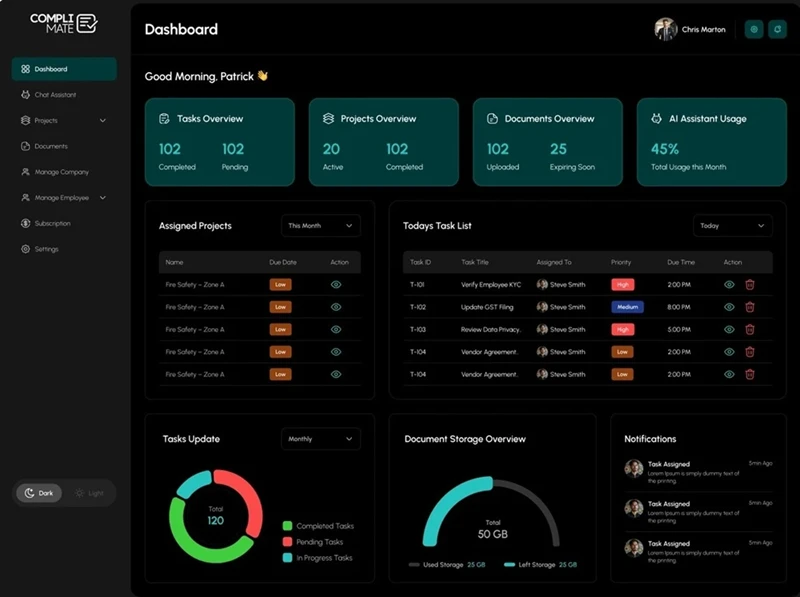
Instead of treating an incident report as a standalone form, Complimate connects incident and hazard reporting with digital forms, tasks, corrective actions, documents and compliance workflows. This helps teams create a clearer record of what happened, what needs to be done and who is responsible.
Incident management is an important part of safety management software, helping businesses record incidents, investigate what happened and take appropriate follow-up actions.
This approach is useful for businesses that want more than a basic incident reporting form and need to connect incidents with their wider work health and safety processes.
How Does Complimate Help Manage Incidents?
Employees can report workplace incidents using digital WHS forms, helping teams capture information consistently and begin the investigation process quickly.
01
Record incidents and hazards digitally
Use digital WHS forms to capture incident and hazard information without relying on paper-based records. Forms can include dynamic fields and signature capture, and can be accessed through mobile devices and QR codes.
02
Capture evidence
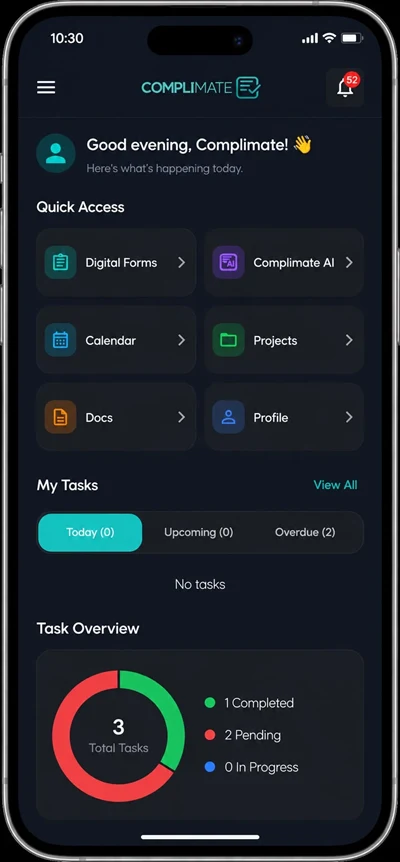
Incident and hazard reports can include relevant information and supporting evidence. Complimate's mobile functionality also supports photo and evidence capture from the field.
03
Turn findings into actions
An incident or hazard should not simply remain in a completed form. Complimate can connect findings with tasks and corrective actions, allowing an assigned person, due date, attachments, comments and other action details to be managed through the workflow.
04
Keep records connected
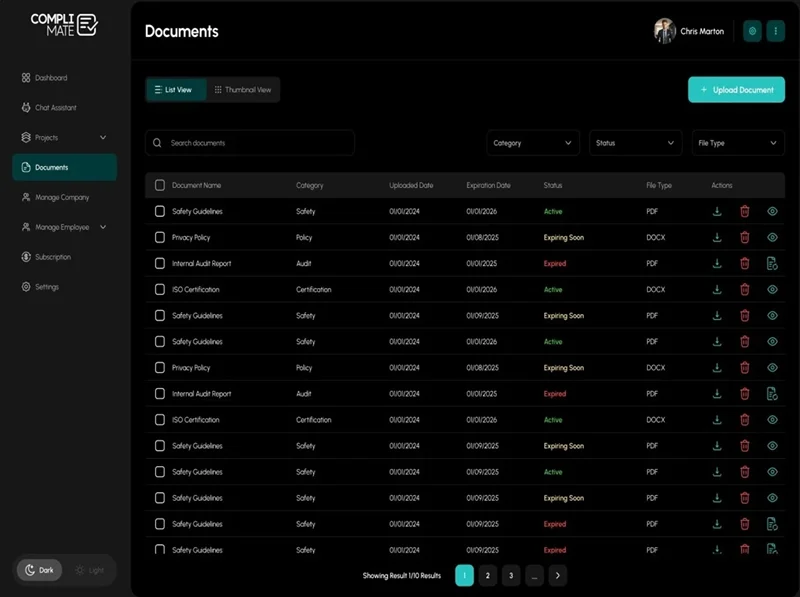
Digital form submissions can be linked with sites, projects, employees and other records. This gives teams a more structured evidence trail instead of keeping incident information across disconnected files or spreadsheets.
What Incident Management Features Does Complimate Include?
Feature
How it helps
Incident reporting
Record workplace incidents digitally
Hazard reporting
Capture hazards and safety concerns
Digital WHS forms
Replace paper-based reporting with digital records
QR code access
Give workers mobile access to relevant forms
Photo and evidence capture
Attach supporting information from the field
Corrective actions
Turn findings into trackable follow-up actions
Task management
Assign owners, priorities, deadlines and evidence
Site records
Connect forms and documents with specific locations
Submission history
Maintain access to completed form records
PDF export
Export completed forms for record keeping and audits
These capabilities are based on Complimate's documented live product functionality.
How Does Incident Reporting Work in Complimate?
A typical workflow can be structured as follows:
1
1. Report the incident or hazard
A worker or team member completes the relevant digital form.
2
2. Capture supporting information
Add the required details, signatures and available evidence, including photos where relevant.
3
3. Store the submission
The completed record remains available in the digital form submission history and can be associated with the relevant site, project or employee.
4
4. Create follow-up actions
Where an issue requires further work, create a task or corrective action and assign responsibility.
5
5. Track progress
Monitor status, deadlines, attachments, comments and completion.
6
6. Keep the evidence trail
Completed forms and related records can be retained as part of the broader compliance workflow.
This connects incident reporting → evidence → corrective action → task completion, rather than leaving the incident as an isolated record. Complimate's product documentation specifically describes this connected workflow as part of its overall platform approach.
incident reporting→
evidence→
corrective action→
task completion
Complimate's mobile functionality also supports photo and evidence capture from the field.
Manage Incidents From Report to Follow-Up
Keep incident reporting connected to the rest of your WHS management system. With Complimate, teams can capture incidents and hazards digitally, collect evidence and manage follow-up actions in one compliance platform.
Who Is Complimate Incident Management Software For?
Complimate is designed for Australian businesses that need to manage incidents as part of a broader WHS and compliance system.
It can be relevant to:
WHS and HSE managers
Compliance officers
Quality managers
Site supervisors
Operations managers
Businesses managing multiple sites
Consultants supporting client compliance
The platform's target industries include construction, childcare, health, not-for-profit and local government.
For example, a construction supervisor can use a mobile form to report a site incident or hazard, capture evidence and then connect the finding to a corrective action for follow-up.
What Are the Benefits of Using Incident Management Software?
A connected incident management process can help teams:
Reduce reliance on paper incident reports
Capture information directly from the field
Keep incident and hazard records organised
Connect evidence with follow-up actions
Assign responsibility for corrective work
Track outstanding compliance tasks
Keep site-related records together
Build a clearer record for internal reviews and audits
Complimate is designed around this broader approach to WHS management rather than treating incidents, inspections, documents and corrective actions as completely separate processes.
Frequently Asked Questions
Incident management software is a digital system for recording workplace incidents and related safety issues, maintaining evidence and managing follow-up actions. Complimate provides incident and hazard reporting as part of its wider WHS and compliance platform.