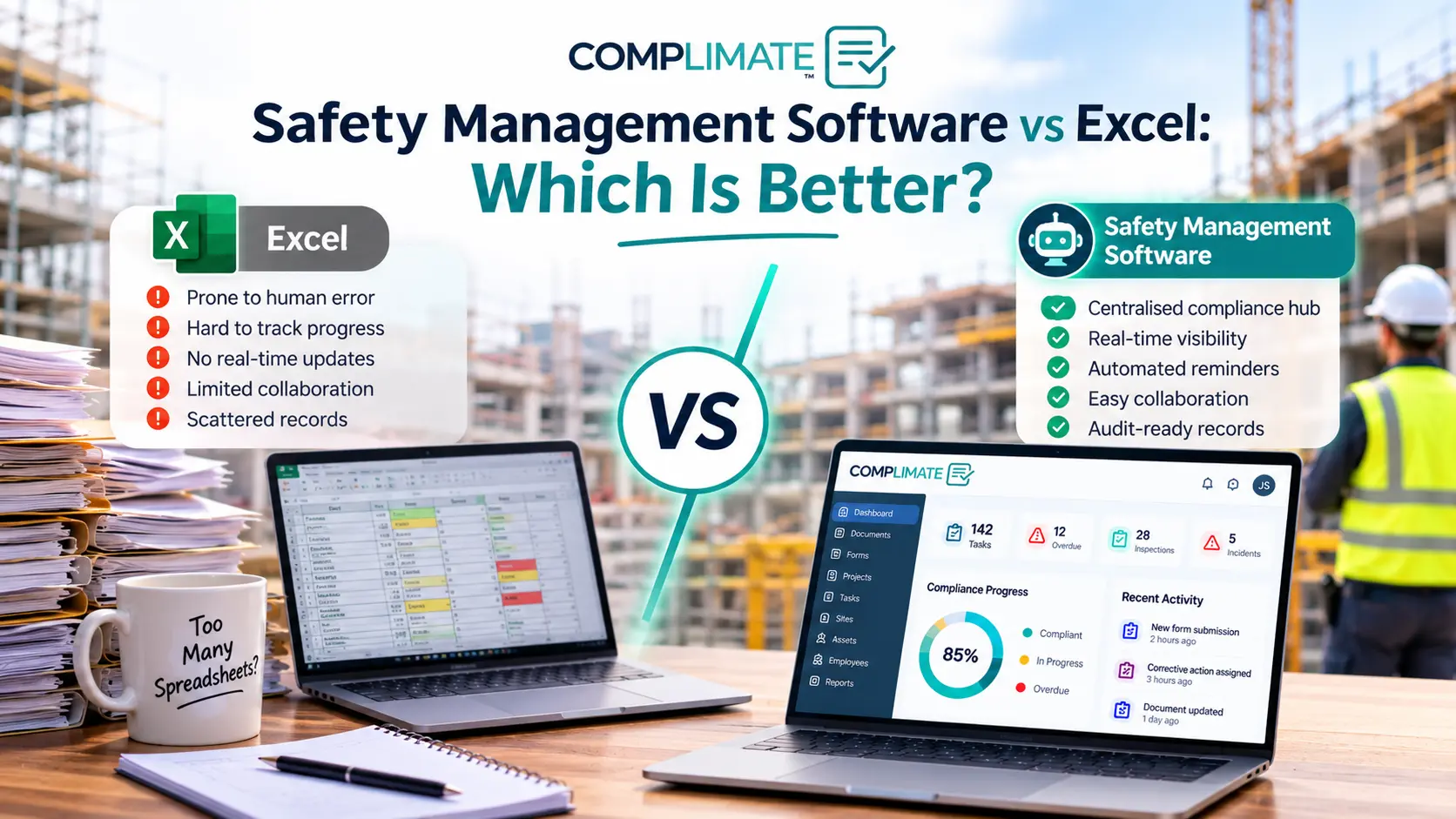
Managing workplace health and safety involves more than keeping a checklist. Businesses need to record hazards, report incidents, complete inspections, manage documents, assign corrective actions and make sure responsibilities are clear.
For a small business, Microsoft Excel may seem like a practical way to manage these activities. It is familiar, affordable and easy to customise. But as a business grows, managing safety information across multiple spreadsheets can become difficult.
So, is safety management software better than Excel?
Excel can work for simple, low-volume record-keeping. However, dedicated safety management software is generally more suitable when a business needs connected workflows, clear accountability, document control, audit records and visibility across multiple sites or teams.
The right choice depends on the size of your business, the complexity of your operations and how you currently manage WHS activities.
1. What Is Safety Management Software?
Safety management software is a digital platform that helps businesses organise and manage workplace health and safety activities.
Instead of maintaining separate spreadsheets, paper forms and shared folders, a business can use one system to manage important safety information and workflows.
Depending on the platform, features may include:
Hazard and incident reporting
Workplace inspections and safety audits
Risk assessments and Safe Work Method Statements (SWMS)
Corrective action tracking
WHS policies and procedures
Employee and contractor records
Training and licence tracking
Plant and equipment registers
Site-specific safety records
Compliance tasks and reporting
The main purpose is to make safety information easier to manage, access, review and act on.
For Australian businesses, this can support the day-to-day management of a workplace health and safety system. However, using software does not automatically make a business compliant with WHS laws. Businesses still need suitable processes, competent people and appropriate controls.
2. Can Excel Be Used for Safety Management?
Yes. Excel can be used to maintain basic safety records and registers.
For example, a business might create separate spreadsheets for:
Hazard reports
Incident registers
Inspection checklists
Training records
Contractor details
Corrective actions
Equipment maintenance
Excel is useful because most businesses already have access to it. Employees may also be familiar with creating tables, filters, formulas and basic reports.
For a small business with limited safety activities, a well-maintained spreadsheet may be enough to get started.
However, Excel is primarily a spreadsheet tool. It does not automatically provide a complete safety management workflow.
As more people, locations and safety activities become involved, someone needs to maintain the spreadsheets, check for missing information, update records and follow up outstanding actions.
That is where problems can begin.
3. Safety Management Software vs Excel: Key Differences
The biggest difference is how each option manages information and follow-up activities.
Note: Excel can support many of these activities with formulas, templates and integrations. Software capabilities also vary by provider, so compare the actual features before choosing a platform.
4. Where Excel Starts Creating Problems
Excel is not necessarily the problem. The challenge is relying on spreadsheets to manage activities that need regular updates, ownership and follow-up.
Here are some common situations where spreadsheet-based safety management can become difficult.
4.1 Multiple spreadsheets create information gaps
Imagine a construction business managing five active sites.
Each site supervisor maintains a separate inspection spreadsheet. The WHS manager keeps a central incident register, while training records are stored in another workbook.
Now consider a simple question:
Which corrective actions from last month's inspections are still outstanding?
The WHS manager may need to collect files, check updates, compare records and contact supervisors.
When information is spread across different files, getting a complete picture takes more effort.
A centralised system can make it easier to access relevant records and see what needs attention.
4.2 Following up corrective actions becomes manual
Recording a safety issue is only one part of the process. Someone also needs to investigate it, assign responsibility, set a deadline and confirm that the action has been completed.
In Excel, this often means manually updating status columns and following up with people through emails, phone calls or messages.
This can create problems when:
An action has no clear owner.
A due date is missed.
The status is not updated.
Evidence of completion is stored elsewhere.
Managers cannot easily see overdue actions.
Dedicated safety management software can connect findings with tasks, responsible people, due dates and supporting evidence.
4.3 Document versions become difficult to manage
WHS policies, procedures, risk assessments and SWMS documents may change over time.
If employees download files and save local copies, it can become difficult to identify which version is current.
A document management system can help by keeping records in a central location, tracking versions and monitoring review or expiry dates.
This is particularly useful when several teams or sites need access to the same safety documents.
4.4 Reporting takes more time
Excel reports depend on the quality and consistency of the information entered.
If different employees use different formats or forget to update records, managers may need to clean and combine data before preparing a report.
A safety management platform may provide dashboards, filters and report exports that reduce some of this manual work.
The value is not simply having a dashboard. It is being able to make decisions using more consistent and accessible information.
5. When Should a Business Move From Excel to Safety Management Software?
There is no fixed employee count or business size at which a company must move from Excel to software. The decision should be based on the complexity of its safety management needs.
Consider moving to dedicated software if your business experiences any of the following:
Multiple work locations: Safety information needs to be managed across different sites, projects or teams.
Growing contractor workforce: You need to monitor contractor documents, inductions, licences and training.
Frequent inspections: Paper forms and spreadsheets are becoming difficult to maintain.
Recurring corrective actions: Managers struggle to track action owners, deadlines and completion evidence.
Document management challenges: Employees are unsure which policy, procedure or SWMS version to use.
Limited reporting visibility: Management spends too much time collecting information before reviewing safety performance.
Manual follow-ups: Safety managers regularly chase employees to complete tasks or update records.
If several of these situations sound familiar, your current spreadsheet-based process may no longer be the most practical option.
6. What Should You Look for in Safety Management Software?
Not every business needs a complex enterprise platform. The right solution should match your actual safety management requirements.
Here are some features worth comparing before choosing software.
Centralised document management
Look for a system that allows you to store policies, procedures, SWMS, risk assessments and other WHS documents in one place.
Useful capabilities include:
Document version control
Review and expiry tracking
Searchable document storage
Access permissions
Document history
Digital forms and inspections
Your team should be able to complete safety forms without relying entirely on printed checklists or manually updated spreadsheets.
Look for digital forms, mobile access, QR code access, photo attachments and submission history.
Incident and hazard management
The software should help employees record incidents, near misses and hazards in a consistent way.
It should also support the process that follows a report, including investigation, assigning actions and maintaining evidence.
Corrective action tracking
This is one of the most important capabilities to evaluate.
Check whether the platform allows you to:
Assign an action to a responsible person.
Set a due date.
Record comments and supporting evidence.
Monitor outstanding and overdue actions.
Track actions through to closure.
Employee and contractor management
If your business works with contractors or manages multiple teams, look for ways to organise employee and contractor records.
This may include licences, training records, inductions, qualifications and document expiry dates.
Reporting and mobile access
Managers need a clear view of outstanding actions, inspections, incidents and compliance tasks.
Mobile access is also important for teams working across construction sites, facilities and other operational environments.
7. How Complimate Helps Businesses Move Beyond Spreadsheets
Complimate is an Australian WHS and compliance management platform designed to help businesses organise safety documentation, inspections, audits, corrective actions and everyday compliance activities.
Rather than managing each activity in a separate spreadsheet, businesses can bring several workflows together in one platform.
Some of its relevant capabilities include:
Document and policy management
Store WHS documents, policies, procedures, SWMS and risk assessments in a central location. Version control, document search and expiry tracking help teams manage important records.
Digital forms and inspections
Create digital forms and inspection workflows. Teams can access forms on mobile devices, capture information and maintain submission records.
Audits and corrective actions
Record audit findings, attach supporting evidence and assign corrective actions with owners and due dates. Teams can track progress and monitor outstanding work.
Employee, contractor and site records
Organise relevant employee and contractor information, training records, documents, assets and site-related compliance activities.
AI Compliance Assistant
Complimate's AI assistant can answer questions using uploaded company documents and help users work with policies, procedures and compliance information. AI-generated information should be reviewed by an appropriately qualified person and should not be treated as legal advice.
The benefit is not simply replacing Excel with another digital tool. It is connecting safety activities so that information, responsibilities and follow-up actions are easier to manage.
Businesses can explore the platform on the Complimate website.
8. Safety Management Software vs Excel: Final Verdict
Excel is a reasonable starting point for businesses that maintain a small number of straightforward safety records. It is flexible, familiar and useful for basic registers and reporting.
However, spreadsheets can become harder to manage when safety activities involve multiple sites, employees, contractors, inspections, documents and corrective actions.
Dedicated safety management software is generally the better choice when a business needs:
Centralised safety information
Consistent inspection and reporting workflows
Clear responsibility for corrective actions
Better document and version control
Visibility across teams and locations
Easier access to safety records
The key difference is that Excel helps you record information, while safety management software can help you manage the wider process around that information.
For Australian businesses looking to improve how they organise WHS activities, choosing a platform that fits their operations can make day-to-day safety management more structured and manageable.
Frequently Asked Questions
1. Is safety management software better than Excel?
Safety management software is generally better for businesses managing multiple safety activities, teams or locations. It can centralise documents, inspections, incidents and corrective actions. Excel may still be suitable for simple record-keeping.
2. Can small businesses use Excel for WHS management?
Yes. Small businesses can use Excel to maintain basic safety registers, inspection records and training information. However, they should make sure records are accurate, current, accessible and regularly reviewed.
3. What are the disadvantages of using Excel for safety management?
Common challenges include manual updates, separate files, limited workflow automation, version control problems and difficulty tracking corrective actions. These issues can become more noticeable as a business grows.
4. What features should WHS software include?
Useful features include incident and hazard reporting, digital inspections, document management, corrective action tracking, employee and contractor records, training management, reporting and mobile access.
5. Does safety management software guarantee WHS compliance?
No. Software can help businesses organise records, monitor tasks and manage safety processes, but it cannot guarantee legal compliance. Businesses remain responsible for understanding and meeting their applicable WHS obligations.
6. How do I know when to switch from Excel to safety management software?
Consider switching when spreadsheets become difficult to maintain, information is spread across multiple files, corrective actions are regularly missed or managers lack visibility across sites and teams.
Manage Your WHS Activities in One Place
As your business grows, managing workplace safety through disconnected spreadsheets can become increasingly difficult.
Complimate helps Australian businesses bring documents, digital forms, audits, corrective actions and compliance tasks together in one platform.
Explore Complimate's safety management software to see how it can support your business's WHS management processes.